Dash Cams
How many times have you been pootling along in the fresh air with a smile on your face, and a bunch of pedestrians all suddenly wave at you and give a thumbs up? And it still gets me when they all turn their heads in unison as you drive past; an analogy being a Tim Henman power shot speeding its way to his unfortunate opponent on the other side of the net, the crowd’s gaze synchronously shifting to get there before the ball.
But enough of the preamble… This article is not an advert for dash cams, although I dare say some of us will be tempted.
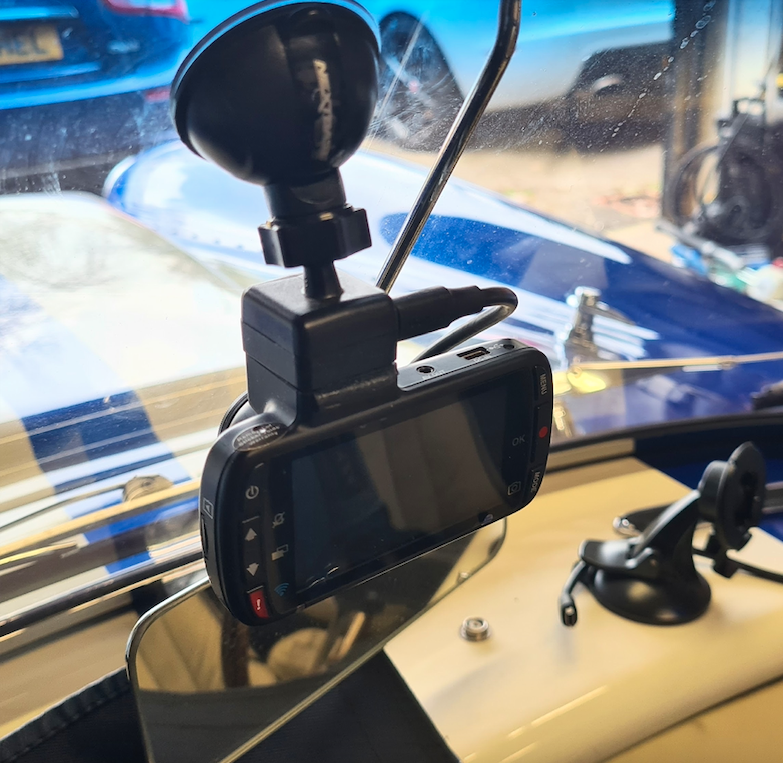
It’s simply an illustration of the existence - and some differences - between the traditional and the latest tech; and how we, as open-topped, furry-clad drivers, could make best use of a piece of the latest technology… The compelling justification being “If it ain’t documented, it ain’t happened!”
So here we go..!
We all know what a dash cam is; that being, it’s a small video camera which clings tenaciously to the windscreen like a frightened limpet in a Force 10…
Dash cams are here to stay, and they are a very capable piece of kit. And when we’ve convinced ourselves they are essential for our continued existence, we are putty… But that might not be the full story… Maybe it’s something as simple as a self-justifying, must-have, peace-of-mind, insurance-protection trinket, to have evidence for our ‘proper’ insurance company to prove that we were not the numpty in an equation.
But what do Dash Cams do? They simply record! However, most have GPS linkage to a smartphone, wrist remote, or a GPS receiver in the device itself to plot where you were at any particular time and location along the timeline - and with your speed and all kinds of other ‘stuff’.
And they can cause you to spend hours and hours in front of the computer screen using video editing software trying to create a three-minute masterpiece from your 100-mile run out.
Dash cams usually point in one direction, but two if you have a top-of-the-range version. And the recordings are essentially of endless roads, a shiny bonnet, and maybe the boot, a couple of roll hoops, and the cars behind you.
But there’s a new kid on the block..!
The 360-degree ‘Action Cam’… But is it a dash cam?
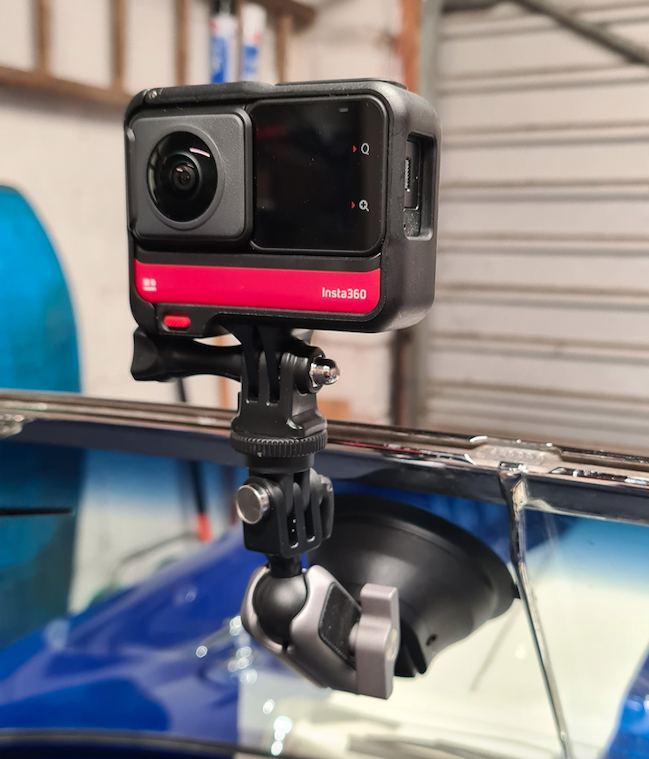
These new-fangled 360-degree cameras are classed as action cameras and come with editing software which makes a Pinewood Studio editing room look like a dodgy backstreet camera shop darkroom.
Standard action cameras, typically like the GoPro or the Insta360, are very capable and rugged, and can record GPS data.
The Insta360 RS, for example, when used as a 360 dash cam, is essentially doing the job of a dedicated dash cam but with all-round visibility,
And these 360 action cams, I speculate, are more versatile because they can be used for all sorts of things we don’t usually get up to.
The typical dash cam has a single lens. A 360 action cam has two lenses - one facing the front and one facing rearward, so no major difference from the existing front/back dash cam configuration… However, the 360 action cam lenses are “fisheye", and each has a 180-degree field of view - right/left & up/down.
The software in the camera does the clever stuff and stitches the images from both lenses together to create a spherical composite image for you to get creative within the editing software.
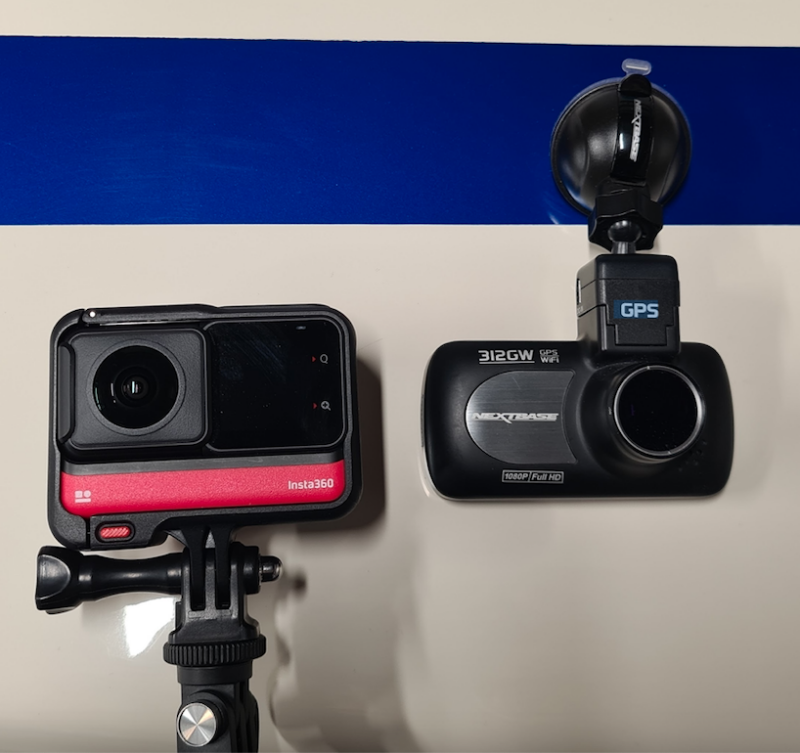

360 action cams also have accelerometers (like mobile phones), so they know where the horizontal is, so you can stick the camera anywhere and not bother about getting it level. It sorts out where the horizontal is all by itself, although you have the option to lock the horizon.
Subsequently, if you did a loop-the-loop, or if you were on an undulating track or road, or even if you took it on the Grand National or the Revolution, or the other gut-wrenching rides at Blackpool Funfair, the video footage would look how you would expect it to look… i.e. the subsequent video would go upside-down with you.
(Chocky bar to the first person who does this)
Then, after you’ve warmed up and had a cup of tea after your data-capturing run, it’s back to your man cave studio where you’ll have all the "spherical footage" necessary to import to the 360 editor, and it’ll be a simple matter of moving the image on the screen to the viewpoint you want.
Apparently it’s called reframing..!
The editing software is very straightforward and allows you to get creative, and you decide what viewpoint you want for a particular part of the video sequence; that being, you can set a view position as a "key frame”. Then, further into the timeline, you can set another key frame for a different viewpoint.
The software then blends the key frames with a smooth, traditional blend so it looks like the camera physically moved to a different position, as if by magic.
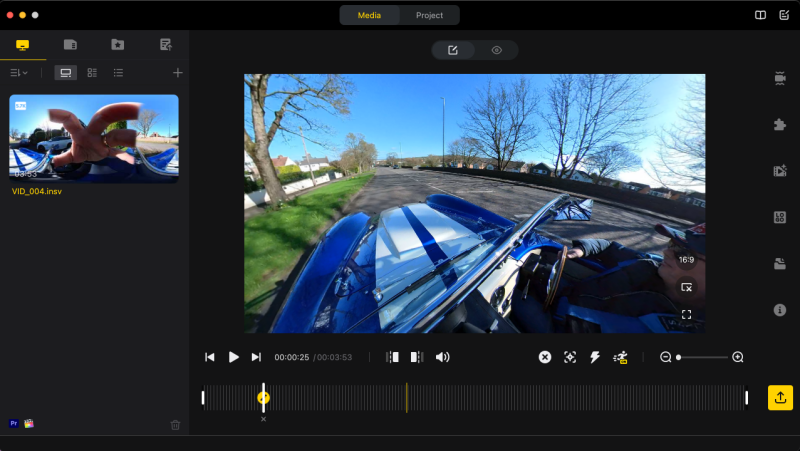

I guess the bottom line is that the 360 action cam is a camera which allows different viewpoints from one camera position. And all this wizardry comes with a remote multifunction wrist controller, which controls the switching between camera ‘stills’ and ‘video’ modes.
It also displays the battery level for the camera and has a remaining time indicator. It also has a built-in sensor which sends GPS data to the camera to record the location and speed.
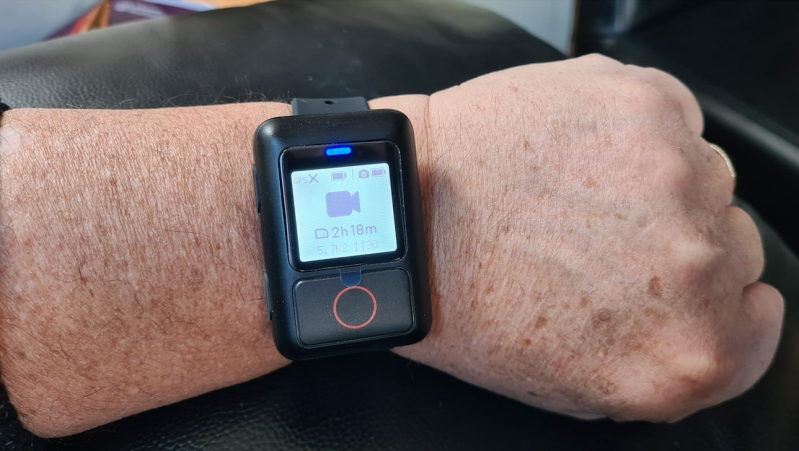
(Eat your heart out, Michael Knight!)
And… if you have a passenger, it could be used (the camera that is) with an ‘Invisible’ Selfie Stick for that impossible third-person perspective.
The selfie stick extends to about 4ft - the camera knows about the stick and makes it invisible in the final edit.
But this method is probably not the safest way to get that close in, drone-like money shot unless it’s fixed to one of your hoops with one of the many variations of fixing mounts available.
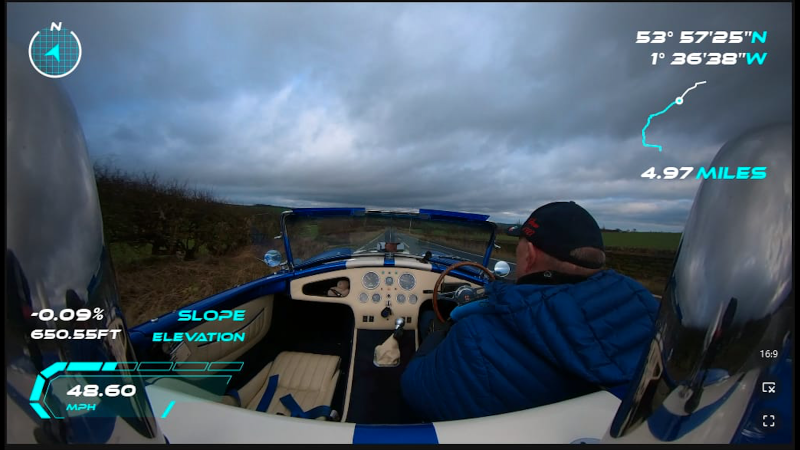
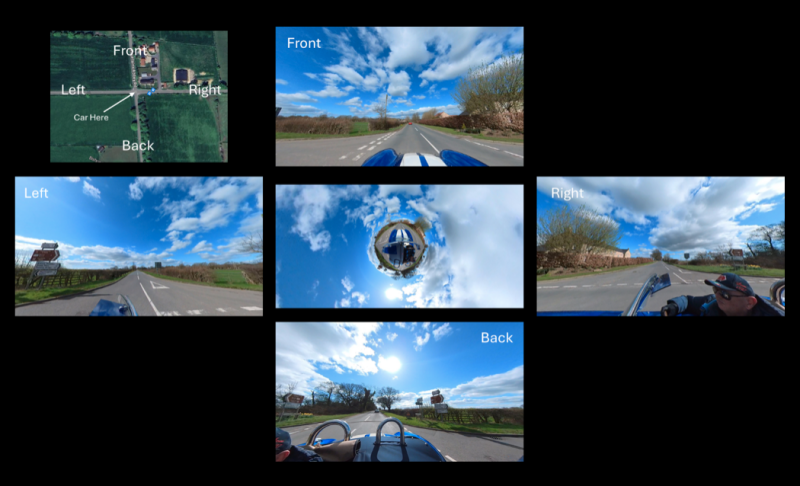
Essentially, you can create sequences as if there was a drone following you; the only giveaway is, in sunshine, you might see the stick & camera’s shadow - and of course you can see someone holding something on the resulting video.
It’s shoot first, point later! I.e., capture the action from all angles, then choose what to focus on after the event with 360 re-framing to produce your three-minute masterpiece.
...Here is an example of the ‘Nextbase’ dash cam software.
Nextbase is another very credible company and has many cameras supporting a host of capabilities.
The high-end versions also support GPS, have up to 4k resolution, image stabilisation, a built-in polarising filter, a rear cam option, and support what3words.
It can also call the emergency services if you talk to it in the correct way...
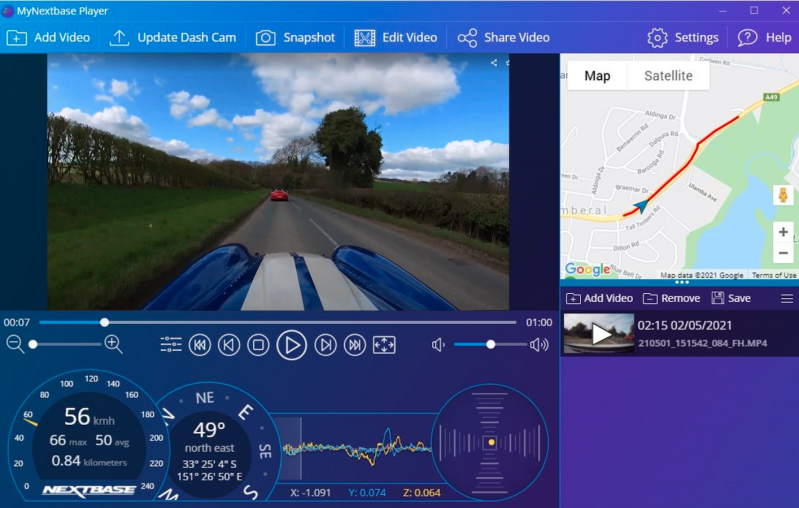
And some have a very impressive three-inch colour touch screen.
Costs of typical dash or action cams [on the internet] range from 10 quid to an eye-watering £1678… But to be a bit more specific, a very capable high-end Dash Cam comes in around the £120-350 mark. A versatile 360 Action Cam setup, for example the GoPro Max or Insta360RS, is going to cost around the £350-375 mark.
So do I need or want a dash cam or a 360-degree action cam? Yes and O’Yes…
And what are some of the pros and cons?:
Pros:
* You have a record of your run-out
* You have the evidence - just in case
* You can tailor your experience to what’s going on around the car
* You can share your experience on social media
* Some insurance companies offer a discount if you use a dash cam
* You can take snapshots for Snake Torque magazine
Cons:
* Both types of cameras catch you picking your nose and bad-mouthing numpties
* You have to smile all the time

Game, set and match… Smile!